
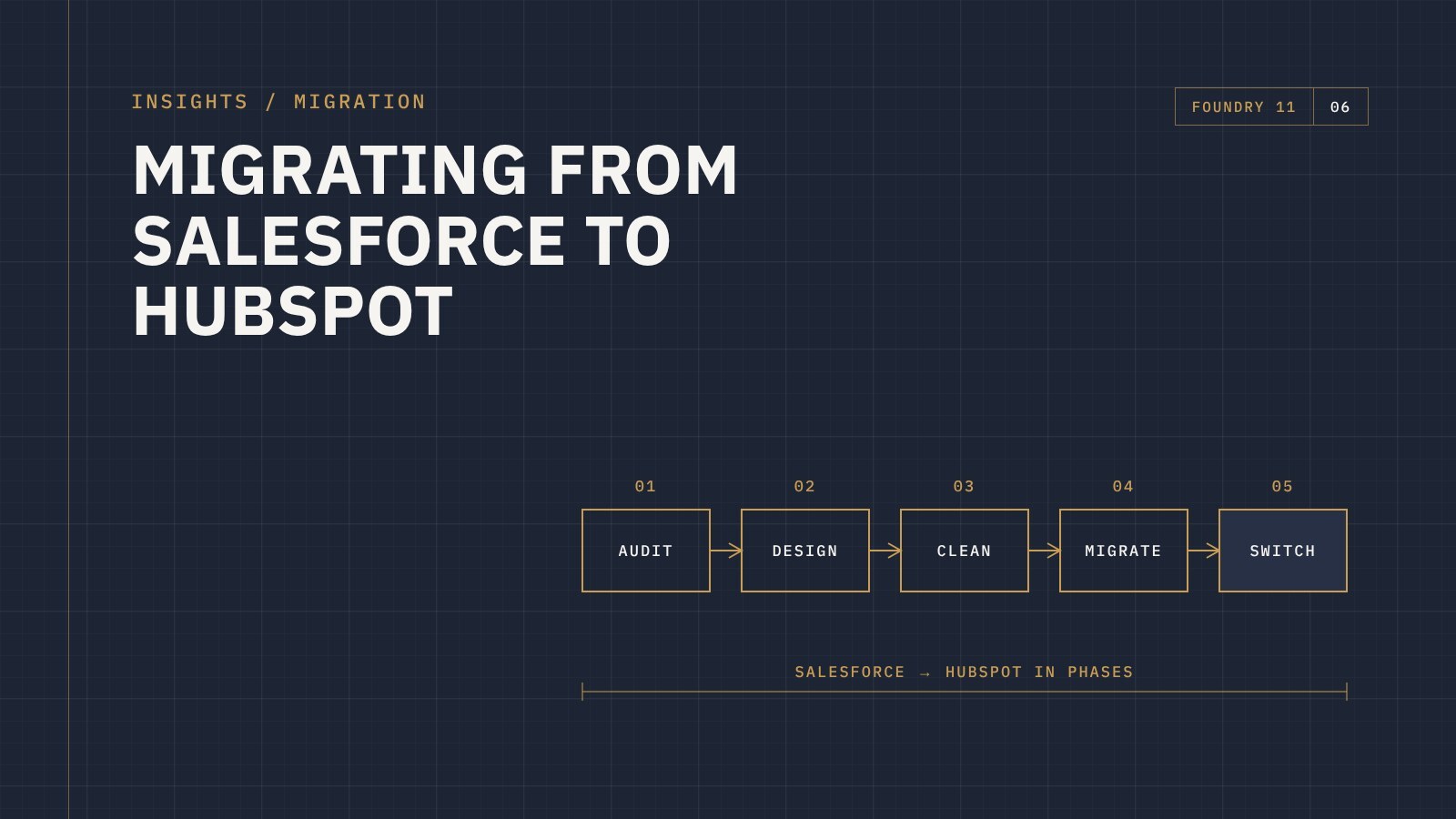
The short answer: a Salesforce to HubSpot migration works best in phases. You audit what's in Salesforce, design how HubSpot should be set up, clean and map the data, migrate and test, and only then switch the team over. Automation and reports are rebuilt in HubSpot rather than copied. You can do it with HubSpot, with a HubSpot Solutions Partner, or as a mix of both.
Businesses usually leave Salesforce for the same few reasons. It's become expensive for what the team actually uses. Every change needs an admin or a consultant. And sales and marketing still don't share one clear view of the customer.
HubSpot solves a lot of that, but only if the move is planned. Here's how to approach it.
1. Audit what's really in Salesforce
Most Salesforce orgs have years of customisation layered on top of each other. Before planning the move, take stock of:
- Which objects are in use: leads, contacts, accounts, opportunities, cases, and any custom objects
- Which fields are actually filled in and used, and which were added for a project years ago
- Which flows, process builders and validation rules are still running
- Which reports and dashboards leadership genuinely relies on
- What else connects to Salesforce, like your website, ERP, finance system or marketing tools
This audit usually shows that a large share of the setup can be simplified or left behind.
2. Design HubSpot for how you work now
Resist the urge to rebuild Salesforce inside HubSpot. Instead, map your current sales and service process and set HubSpot up for that: pipelines, deal stages, lifecycle stages, properties and permissions. The migration then fills that structure.
A few things work differently and need a decision up front:
- Leads vs contacts. Salesforce often keeps leads and contacts as separate records. In HubSpot, a person is a contact, with lifecycle stages showing where they're at.
- Accounts become companies, and opportunities become deals.
- Custom objects can be recreated in HubSpot on the right subscription, but it's worth checking each one is still needed.
3. Clean and map the data
Merge duplicates, standardise values like states and countries, and archive dead records before anything moves. Then map every field you're keeping to a HubSpot property, including dropdown values, owners and record associations.
4. Migrate in phases and test
HubSpot recommends a phased migration that keeps both systems running during the transition, and its own Salesforce integration can help with mapping and moving records. More complex or heavily customised data may need HubSpot's APIs or a migration specialist.
Whichever method you use, migrate a sample first and have the people who will use HubSpot every day check it before the full move.
5. Rebuild automation and reports
Salesforce flows don't convert into HubSpot workflows automatically. Document what each one does, decide if it's still needed, then rebuild it properly. Do the same with reports: list the ones people actually use, consolidate them, and rebuild them in HubSpot.
6. Switch over and support the team
Set a firm date when Salesforce becomes read-only. Train the team before that date, not after, and make sure someone is on hand to answer questions in the first few weeks. Our guide to getting your team to actually use HubSpot covers this in more detail.
Who should do the migration?
HubSpot offers HubSpot-led, partner-led and hybrid migrations. Working with a local HubSpot Solutions Partner gives you someone who understands both platforms, works in your time zone, and stays involved after go-live to help with adoption, reporting and integrations.
When comparing options, ask who will do the hands-on work, how data will be tested, what happens to your integrations, and what support looks like once you've switched.
Frequently asked questions
How long does a Salesforce to HubSpot migration take?
It depends on how much data and customisation you have and how involved your team can be. HubSpot says most businesses complete the move within about three months.
Do I need the HubSpot Salesforce integration to migrate?
Not always, but it can help. HubSpot's Salesforce integration needs a Professional or Enterprise HubSpot subscription and a Salesforce edition with API access, or Salesforce Professional. Some migrations use imports or migration tools instead.
Can we run Salesforce and HubSpot side by side?
Yes, for a short, planned period. Running both for too long creates confusion about which system is right, so set a clear cutover date.
Talk to us about leaving Salesforce
Foundry 11 is a HubSpot Solutions Partner working with businesses across Australia and New Zealand. If you're thinking about moving from Salesforce, get in touch and we'll talk through what the migration would look like for you.