
Moving from Odoo to HubSpot: what to plan for
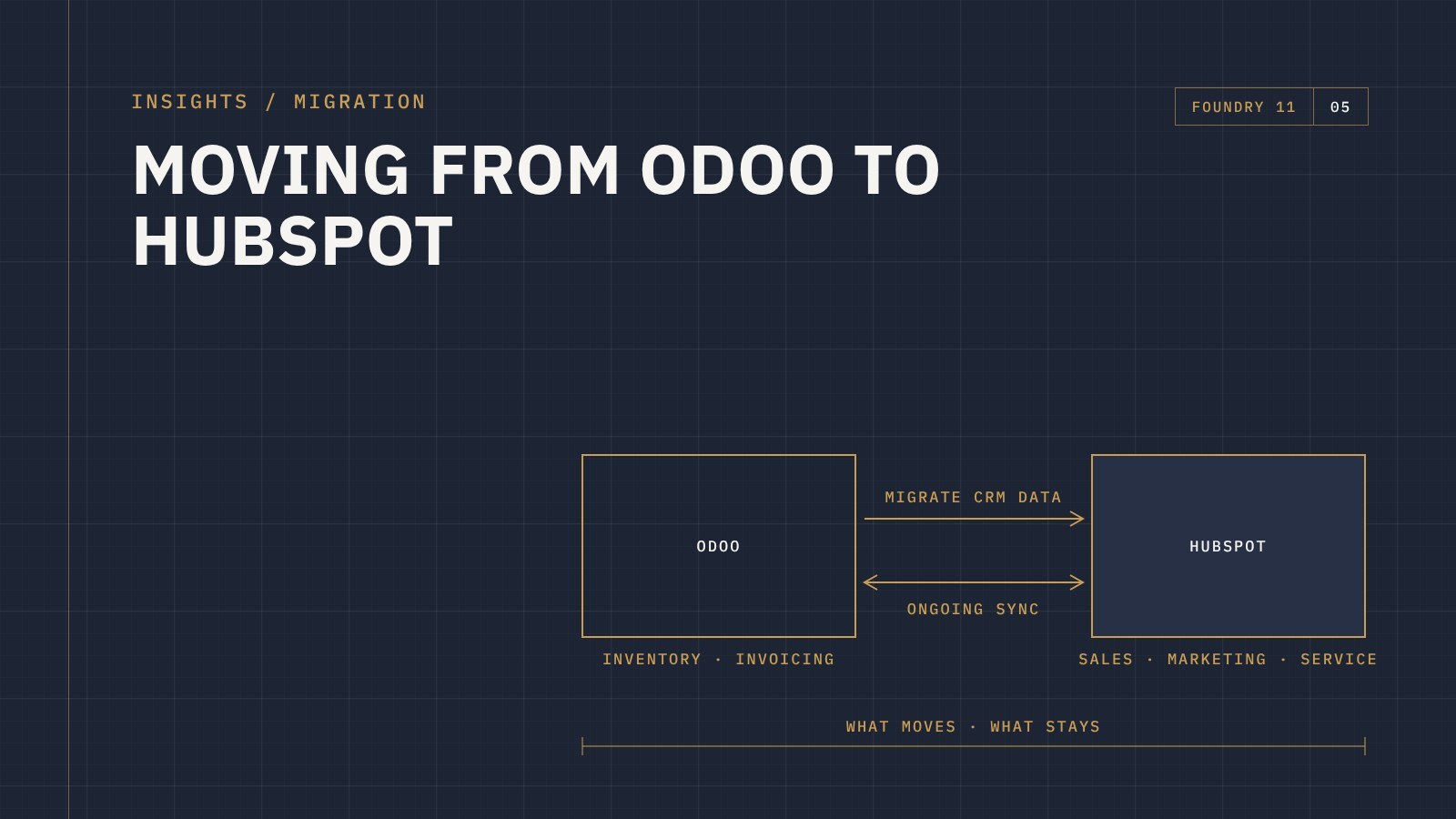
The short answer: migrating from Odoo to HubSpot means deciding which jobs move to HubSpot (usually sales, marketing and customer service) and which stay in Odoo (often inventory, invoicing and accounting), then cleaning and mapping your contacts, companies and opportunities before you import them. Many businesses don't leave Odoo completely. They move the customer-facing work to HubSpot and connect the two.
Odoo does a lot. That's often why businesses start with it, and also why some outgrow it on the sales and marketing side. The CRM works, but teams find it hard to adopt, reporting takes effort, and marketing automation needs a lot of extra modules and configuration to get where they want it.
HubSpot is built for the customer-facing side of the business. Moving across is very achievable, but it pays to plan it properly. Here's what to think about.
Decide what's moving and what's staying
Before any data moves, be clear on the split. Odoo is usually doing several jobs at once, and HubSpot doesn't have to take all of them over.
A common pattern looks like this:
- Moves to HubSpot: leads, contacts, companies, the sales pipeline, marketing emails and automation, forms, and customer service tickets
- Stays in Odoo: inventory, purchasing, manufacturing, invoicing and accounting
If Odoo is staying for the back office, the next question is whether the two systems need to talk to each other.
Migrate, integrate, or both
There are really three options:
- A one-off migration. You move your CRM data into HubSpot and stop using Odoo's CRM. This suits businesses where sales and operations don't need to share live data.
- An ongoing integration. HubSpot and Odoo stay connected, so a won deal can create a sales order in Odoo, or order history can show against the customer in HubSpot.
- Migrate first, then integrate. Clean and move the historical data once, then connect the systems for everything going forward. This is the most common approach for businesses keeping Odoo.
HubSpot doesn't build its own Odoo connector, so ongoing integrations rely on third-party connectors or a custom build. That makes it even more important to decide exactly which data needs to flow, in which direction, and which system is the source of truth for each record.
What usually comes across from Odoo
- Contacts and companies, including the custom fields your team actually uses
- Opportunities, mapped to new HubSpot deal pipelines and stages
- Salespeople, so records land with the right owners
- Notes and activity history, where it's worth keeping
- Products, if your team quotes from HubSpot
Odoo's automated actions, email templates and reports don't translate directly. They're better rebuilt properly in HubSpot than copied across.
The Odoo-specific traps
Every migration has its challenges. With Odoo, these come up often:
- Contacts and companies share one table. In Odoo, people and companies are both "contacts", linked by a parent company. In HubSpot they're separate records linked by associations. The mapping needs to split them correctly, or you end up with companies stored as people.
- Leads and opportunities. Depending on how Odoo was set up, leads and opportunities may be mixed together. Decide what becomes a HubSpot contact, a lead or a deal before you import.
- Customised fields and modules. Odoo is often heavily customised. Each custom field needs a decision: keep it as a HubSpot property, merge it, or leave it behind.
- Duplicates. Years of manual entry and imports usually leave duplicates. Clean them in Odoo before the move, not after.
Test, then cut over
Import a small sample first and have your team check it. Are contacts linked to the right companies? Do the deal stages make sense? Once it's right, plan a clear cutover date, train the team before go-live, and keep Odoo's CRM read-only so nobody keeps working in two places.
For more on the general process, see our guide to what a CRM migration actually involves.
Frequently asked questions
Can I keep using Odoo alongside HubSpot?
Yes. Many businesses keep Odoo for inventory, invoicing and accounting, and use HubSpot for sales, marketing and service. The two can be connected so the right data flows between them.
Will I lose my history when I leave Odoo's CRM?
Not if it's planned. Notes and activity can be migrated where they're useful, and a full export of Odoo can be archived for anything you choose not to bring across.
Is there an official HubSpot and Odoo integration?
HubSpot doesn't build one. Integrations use third-party connectors or a custom build, so it's worth defining exactly what needs to sync before choosing an approach.
Talk to us about moving from Odoo
Foundry 11 is a HubSpot Solutions Partner that has worked with Odoo and moved businesses from Odoo to HubSpot. If you're weighing up the move, get in touch and tell us where things are at.