
Connecting HubSpot to NetSuite: what to know before you start
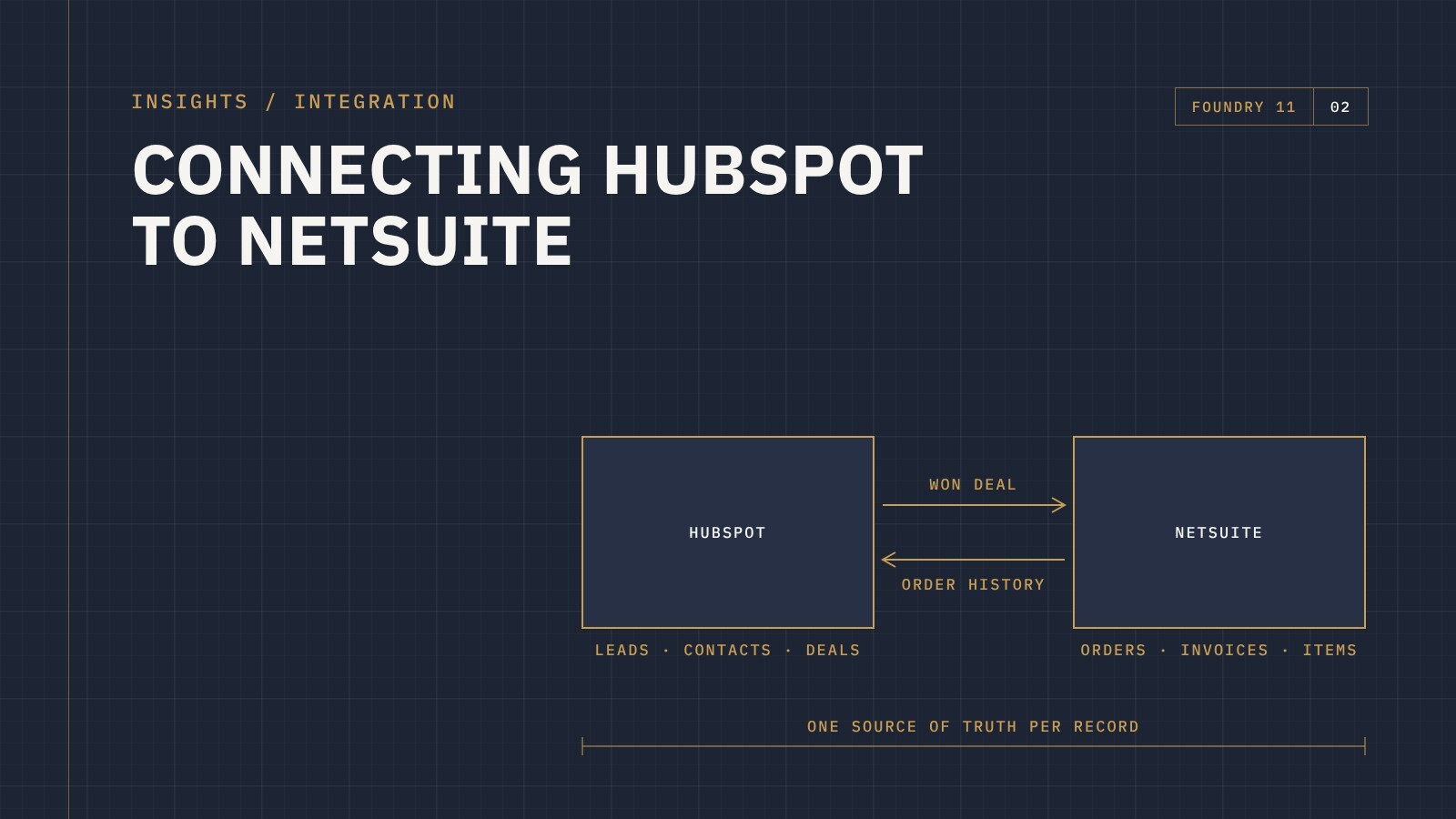
HubSpot runs your sales and marketing. NetSuite runs your finance, inventory and orders. On their own, both do their jobs well. The trouble starts in the gap between them: sales can't see what a customer has ordered, finance re-keys deals by hand, and nobody is sure which system has the right address.
Connecting the two fixes that, but only if the integration is planned properly. Most of the problems we see with HubSpot and NetSuite integrations weren't caused by the technology. They were caused by decisions nobody made before the build started.
Here's what to work out first.
1. Decide which system owns what
This is the single most important decision. For every type of record, one system needs to be the source of truth. If both systems can change the same field and both push updates to each other, you end up with records overwriting each other and nobody trusting either system.
A common split looks like this:
- HubSpot owns leads, contacts, marketing data and deals in progress
- NetSuite owns customers once they've been invoiced, items and pricing, sales orders, invoices and payments
Your split might be different, and that's fine. What matters is that it's agreed and written down before anyone builds anything.
2. Map the process, not just the data
An integration should follow how your business actually works. Walk through the real journey: a lead comes in, sales qualifies it, a quote goes out, the deal is won, an order is created, it's fulfilled and invoiced. At each step, ask what needs to happen in the other system and when.
That walk-through answers questions people often skip. When does a HubSpot company become a NetSuite customer? Does a won deal create a sales order automatically, or does someone review it first? Should order and invoice history flow back into HubSpot so sales can see it?
3. Sort out matching before you sync
Duplicates are the classic integration failure. If the integration can't reliably tell that a company in HubSpot is the same as a customer in NetSuite, it creates a second one. Then a third.
Before go-live, agree on how records are matched (an ID stored in both systems is far more reliable than matching on names), and clean up existing duplicates in both systems first.
4. Don't forget owners and sales reps
If you want sales attribution and commissions to work in NetSuite, HubSpot deal owners need to map to NetSuite sales reps. The two systems store users differently, so this needs a deliberate mapping, usually based on matching email addresses or a simple lookup table. It's easy to overlook and painful to fix later.
5. Choose the right integration approach
There's more than one way to connect HubSpot and NetSuite, from simple connectors to integration platforms like Celigo, which offers prebuilt HubSpot–NetSuite templates that can be extended for your own processes. The right choice depends on how standard your process is, how much data moves, and how much flexibility you need over time.
Whatever you choose, make sure someone can see when a sync fails and fix it. Silent errors are how bad data creeps in.
6. Test with real scenarios
Test the messy cases, not just the happy path. A deal that's won, lost, then reopened. A customer with two billing addresses. An order that's partly shipped. A contact who changes companies. These are the situations that break integrations in the real world.
The bottom line
A well-planned HubSpot and NetSuite integration gives sales visibility of orders, frees finance from re-keying deals, and gives leadership one version of the numbers. The work that makes it succeed happens before the build: agreeing ownership, mapping the process and cleaning the data.
As a Celigo partner, we build and support HubSpot integrations with NetSuite and other business systems. If you're planning one, get in touch and we'll talk through what it would look like for your business.